
Project objective
The objective was to build a reliable process for importing a supplier price list into PrestaShop, eliminating the need to manually manage each product.
The workflow was designed to:
- import the supplier file
- read and normalize the data
- check whether each product already exists in the catalogue
- determine whether to update an existing item or create a new one
- update key information such as costs, availability, manufacturer, and product associations
- generate an output suitable for feeds and advertising catalogues
How the n8n workflow works
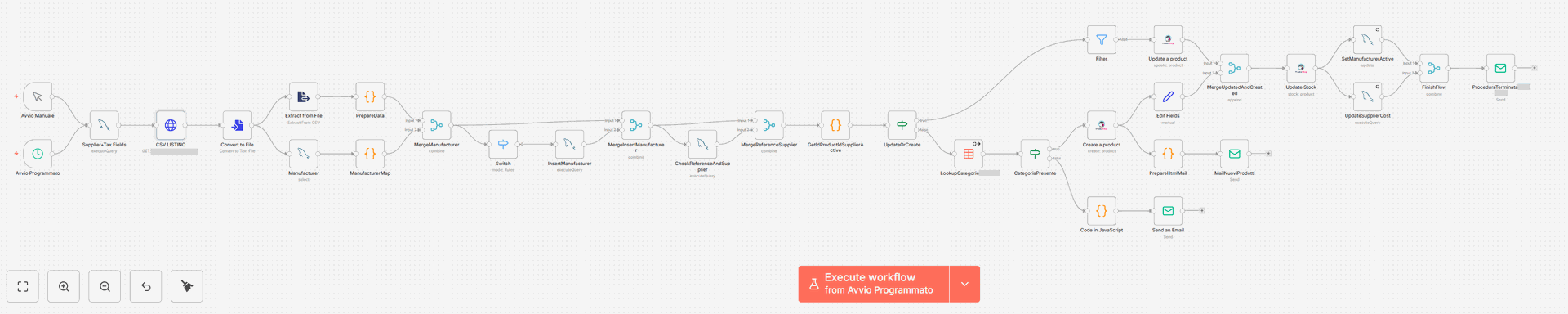
The workflow was built with a modular structure, making it easy to extend to other suppliers or additional data enrichment rules.
Starting the process
The workflow can be triggered manually or scheduled to run automatically.
This provides direct operational control while also enabling automatic scheduled updates.
Reading the supplier price list
The system imports the supplier file and extracts the relevant rows.
At this stage, the data is prepared for consistent processing throughout the workflow.
Data normalization and mapping
The data is cleaned and standardized, with references, manufacturers, categories, codes, and other fields mapped to the structure required by PrestaShop.
Checking existing products
The workflow checks whether each product already exists in the PrestaShop catalogue by matching reference codes, supplier codes, or other key identifiers.
Update or create logic
Based on the check result, the workflow determines whether to:
- update an existing product
- create a new product
This separation prevents duplicate products and helps keep the catalogue clean and well organised.
Updating operational data
For both existing and newly created products, the workflow updates the required fields, including availability, costs, manufacturer, supplier, and other catalogue-relevant information.
Notifications and final validation
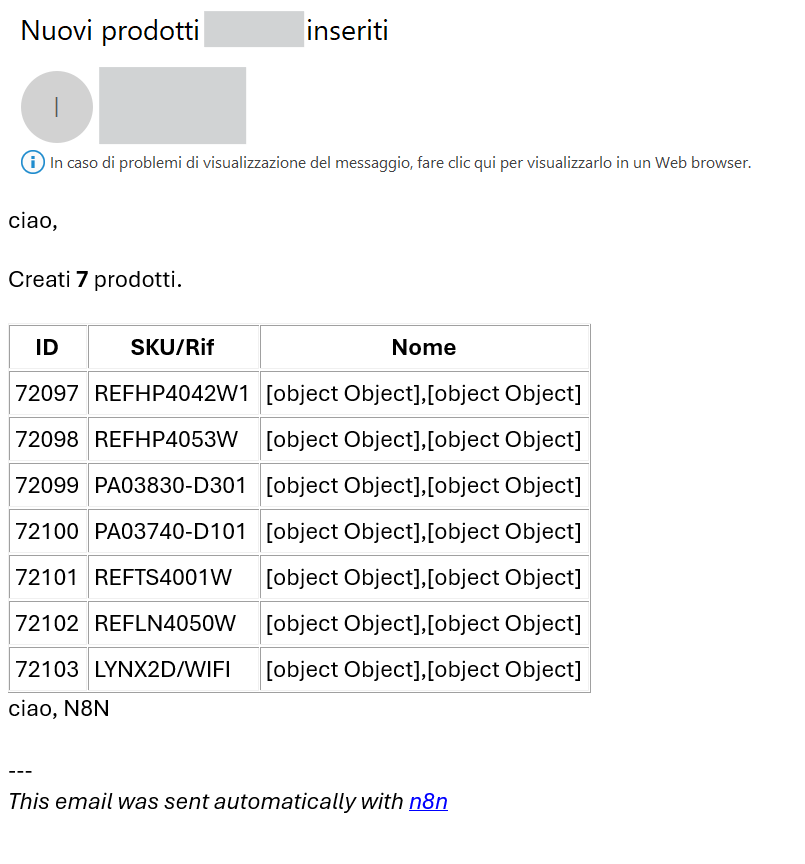
At the end of the process, the workflow generates a summary of newly added products, helping monitor the outcome and quickly identify any anomalies.
Output and marketing feed integrations
Connecting the PrestaShop catalogue to marketing channels
A key part of the project is creating continuity between catalogue management and commercial publishing.

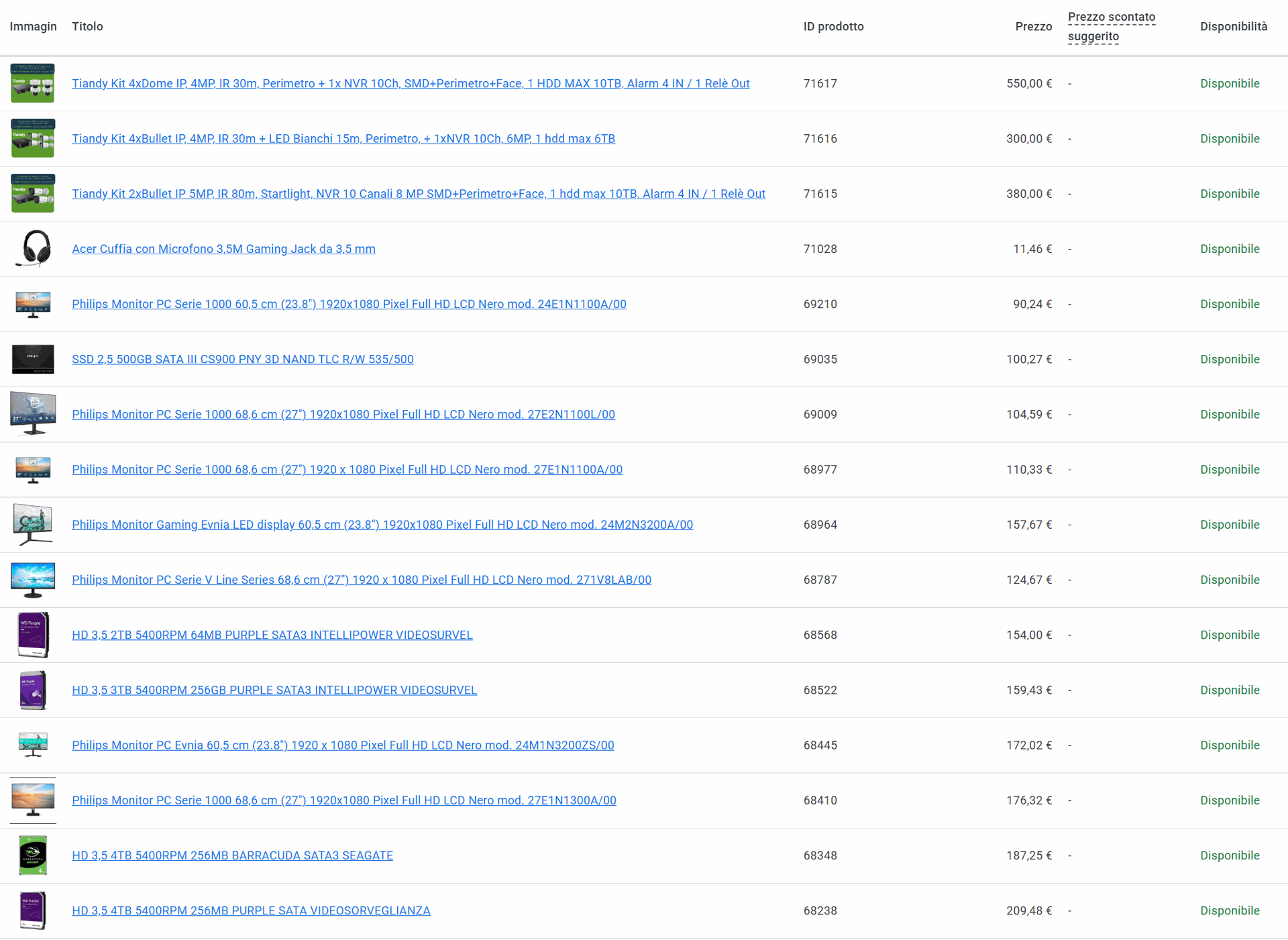
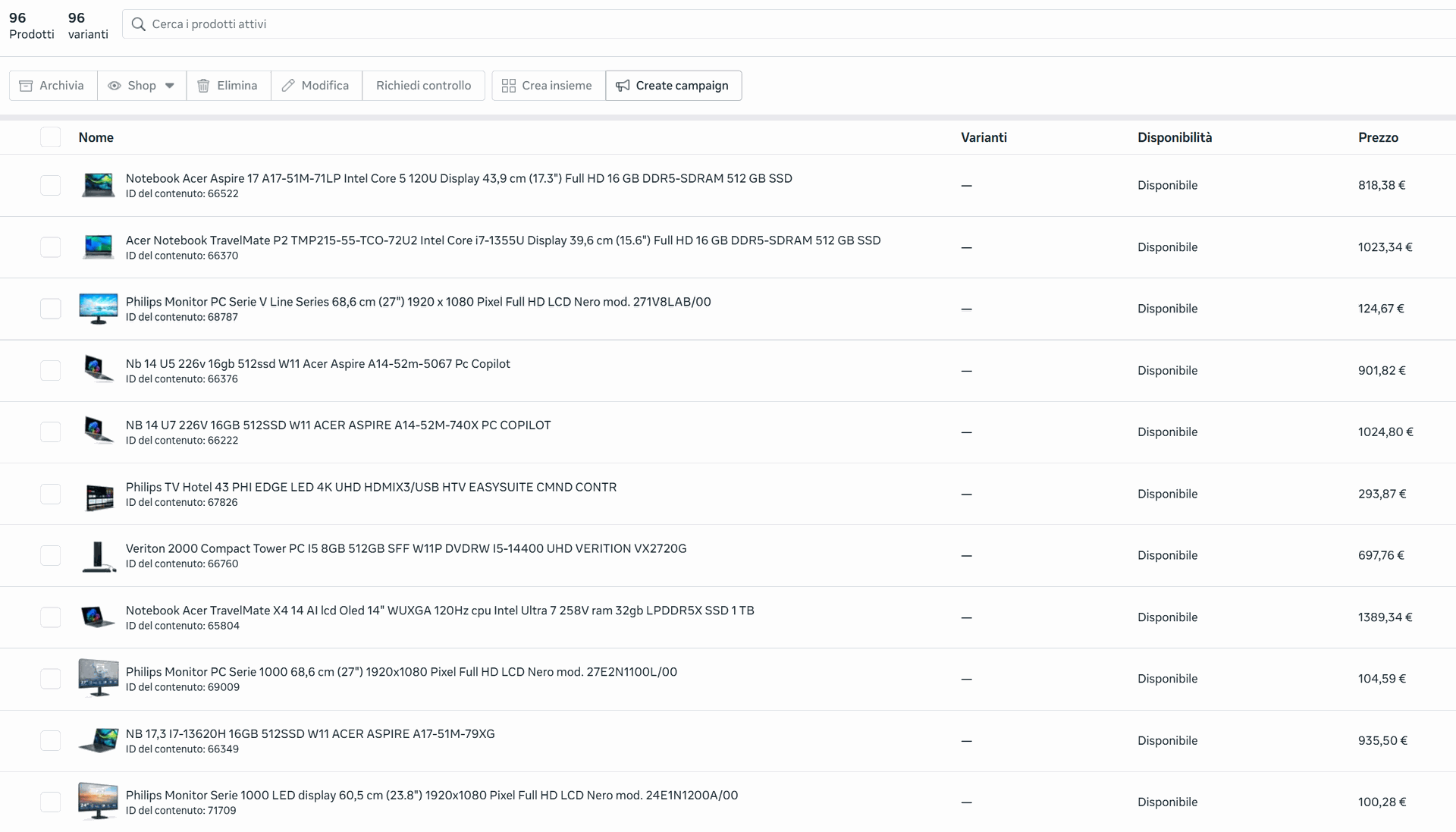
That is why the workflow does not stop at the PrestaShop import stage, but also prepares the data for later use, such as:
Google Merchant Center
- catalogues for advertising campaigns
- synchronization with external platforms
- data enrichment for product feeds
This approach helps keep the catalogue consistent not only within the shop, but also across traffic acquisition channels.
Tangible benefits
Benefits of the workflow
This type of automation brings tangible benefits to day-to-day e-commerce management:
- fewer repetitive manual tasks
- reduced risk of import errors
- greater control over product creation and updates
- faster product publishing
- a stronger foundation for feeds and advertising campaigns
- a scalable process for larger catalogues and multiple suppliers
Technology stack
Technologies used
For this project, I used a combination of tools designed for automation and integration:
- n8n for workflow orchestration
- PrestaShop as the e-commerce platform
- data sources from supplier files
- data mapping, validation, and transformation logic
- output to the catalogue and external channels
Do you manage supplier price lists for your e-commerce business?
If you regularly update catalogues, prices, stock levels, or product feeds, automation can significantly reduce manual work and improve data quality.
We design custom workflows for e-commerce businesses that want to integrate their shop, suppliers, product feeds, and automations into a single, more efficient process.